How to Gift Points to a Member in Ostana
Last updated: June 14, 2025
Gifting points is a great way to recognize loyal customers, resolve service issues, or give out manual bonuses during promotions. You can easily gift points directly from the member profile in Ostana.
✅ Step-by-Step: Gift Points to a Member
1. Navigate to the Members Tab
From your left-hand menu, click on Members.
2. Open the Member Profile
Use the search bar or scroll to find the member you want to reward
Click on their name to open their profile
3. Click the Actions Menu (3 Dots)
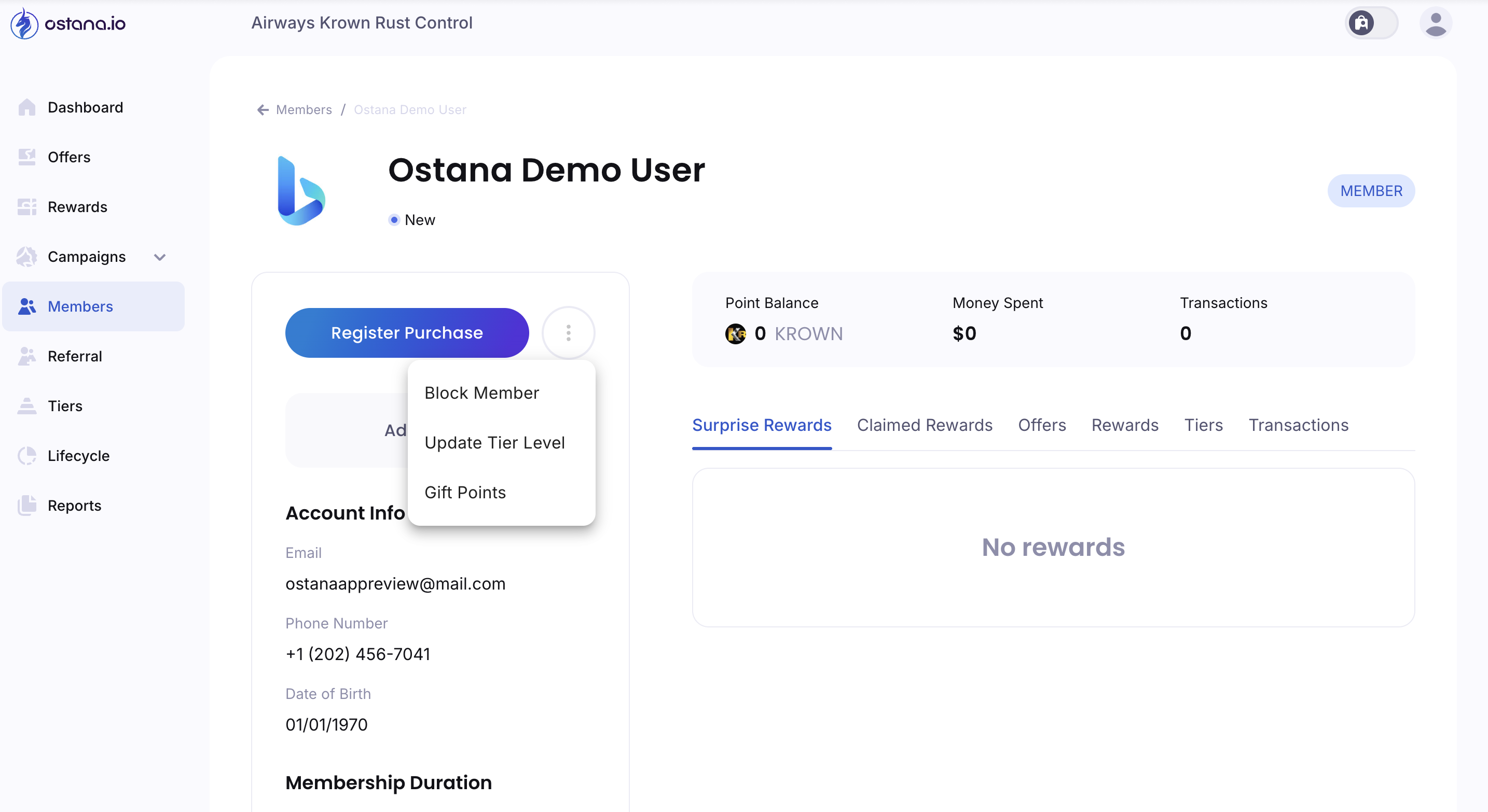
Located to the right of the Register Purchase button
A dropdown will appear with these options:
Block Member
Update Tier Level
Gift Points
4. Select "Gift Points"
Click Gift Points to open the gift modal or form
5. Enter Points Details
Input the number of points you want to gift
Add a note or reason for tracking (optional but recommended)
Click Confirm / Gift Points to finalize
🎁 Pro Tips
Use gifting for birthday bonuses, event promos, or quick customer service recovery
Notes help your team track why points were given later on
Gifted points show up in the member’s transaction history immediately
🚧 Troubleshooting
Can’t see Gift Points option?
Make sure you have the right permissions (manager or admin role).
Points not showing up?
Refresh the page or check the Transactions tab in the member profile to confirm the points were added.
Gifting is a powerful tool for enhancing member relationships. Use it strategically to delight and retain your best customers!