How to Manage or Update Your Payment Info in Ostana
Last updated: June 14, 2025
Keeping your payment details up to date ensures uninterrupted access to your Ostana subscription and features. You can easily manage, update, or add a new payment method from your billing dashboard.
✅ Step-by-Step: Update Payment Info
1. Open the Profile Menu
Click the profile icon in the top-right corner of your dashboard.
2. Click Billing Details
From the dropdown, select Billing Details to access your plan and payment settings.
3. Click Manage Payment Info
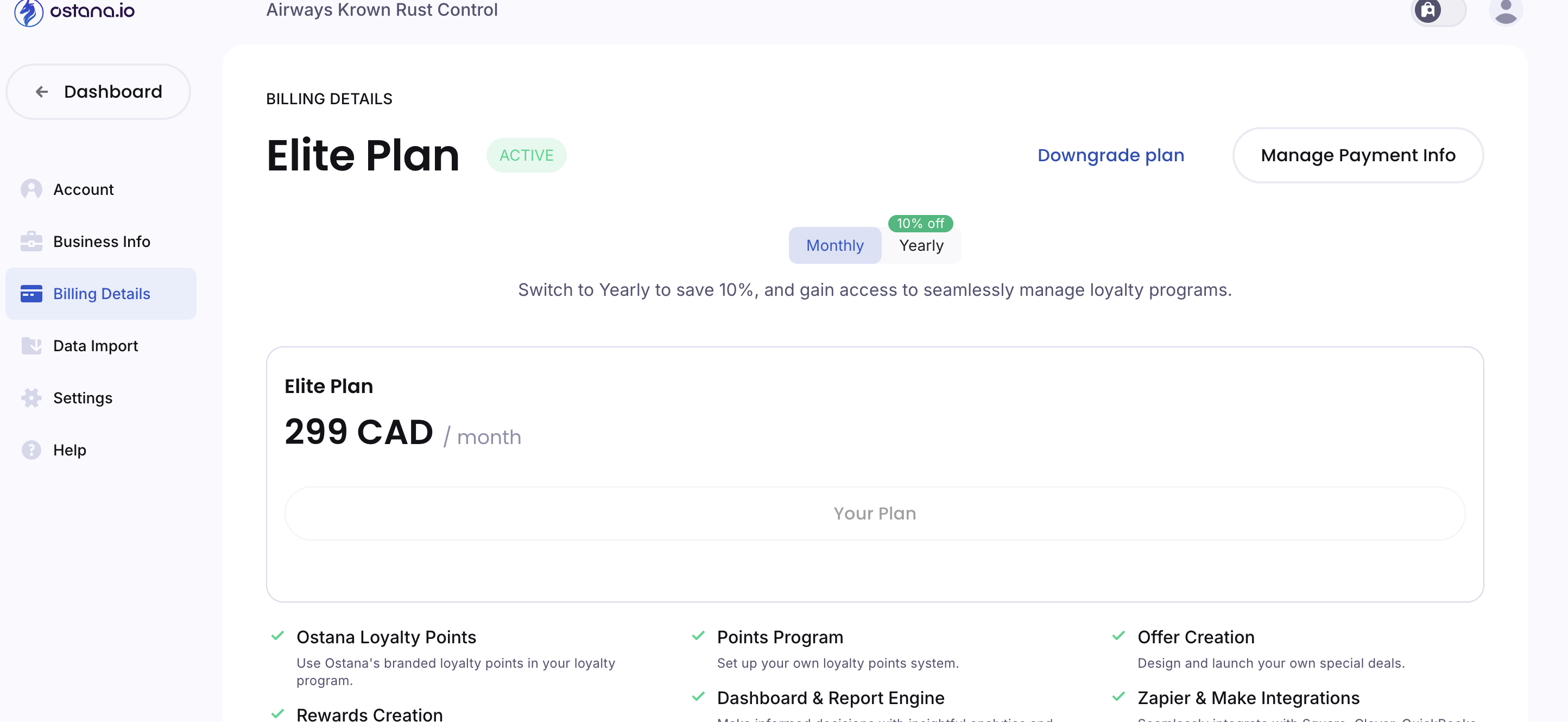
This button appears on the right side of the Billing Details screen.
Clicking it will open your secure billing portal.
4. View Current Payment Method
You’ll see the current card used, expiration date, and billing plan
To update:
Click the edit icon next to your current card (pencil symbol)
5. Add or Replace Payment Method
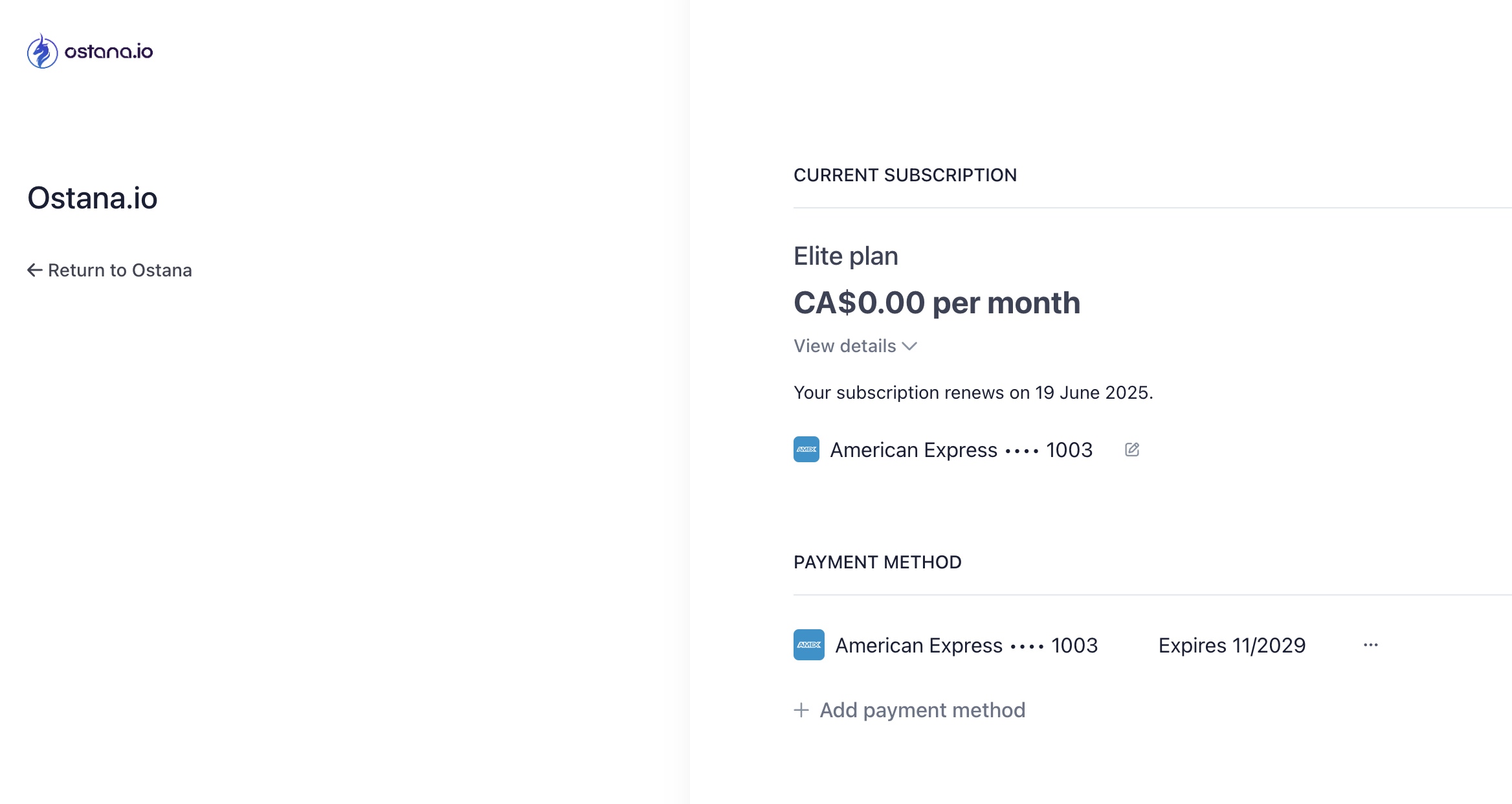
To add a new card:
Click + Add payment method
Enter your new card details and save
To remove the old method (optional), click the 3-dot menu beside the old card and select Remove
⚠ You must have at least one active payment method on file to continue your subscription.
🚧 Troubleshooting
Card declined or expired?
Add a new card and remove the expired one
Need help?
Contact support@ostana.io
Keeping payment info current avoids service interruptions and ensures smooth billing. Always double-check card details after updating!