Customizing Features in Ostana Settings
Last updated: June 11, 2025
Overview
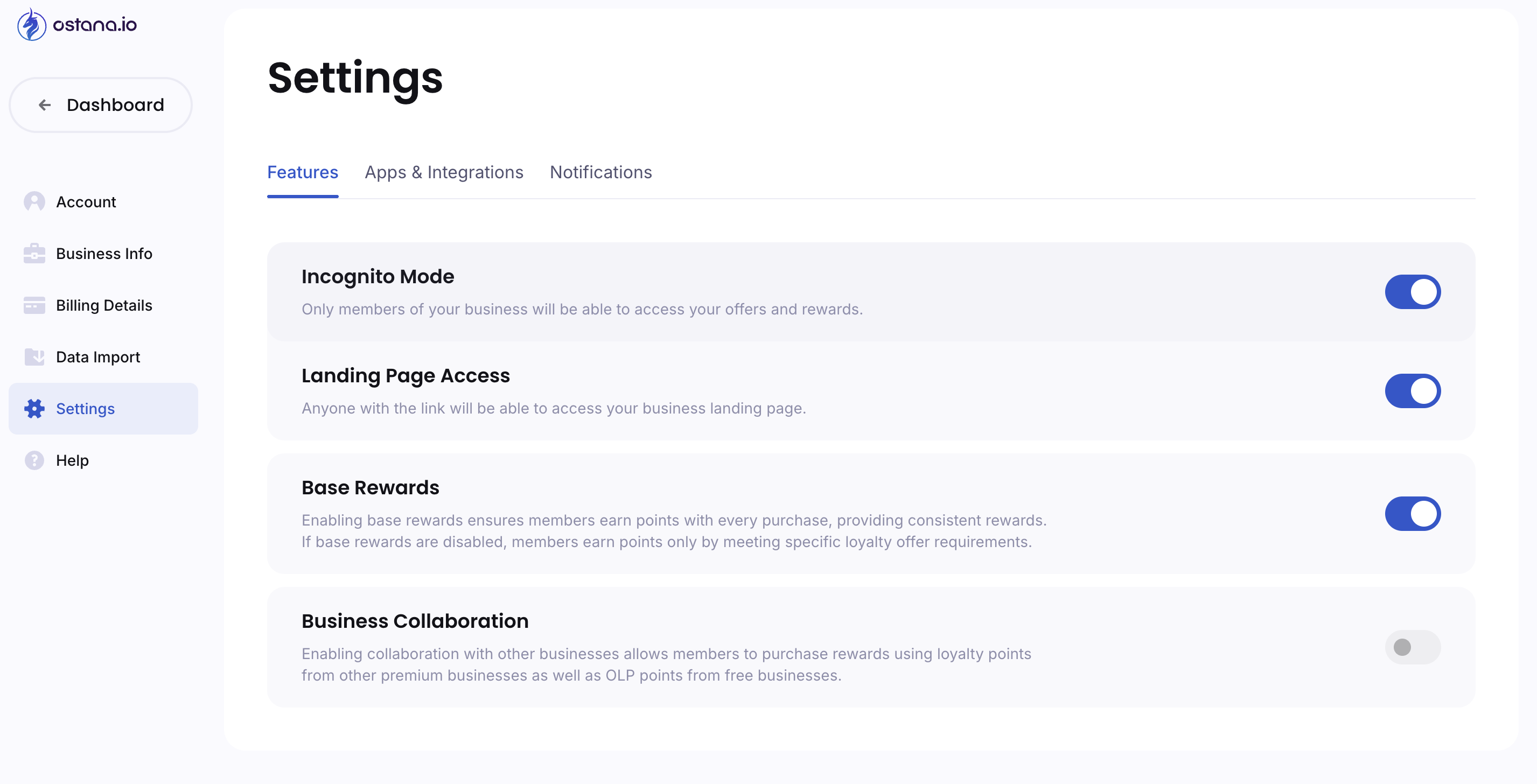
The Features tab under Settings lets you toggle advanced functionality for your loyalty program.
Feature Toggles Explained:
Feature | What It Does |
Incognito Mode | Only members part of your loyalty program can view your offers and rewards |
Landing Page Access | Public link access to your loyalty landing page |
Base Rewards | Automatically award points for all purchase transactions |
Business Collaboration | Enable cross-business point redemption (between partnered Ostana businesses) |
How to Enable or Disable:
Go to
Settings → FeaturesUse the toggle next to each feature to turn it on or off
Changes take effect immediately
Pro Tip:
Enable Base Rewards for consistent engagement; use Incognito Mode if you're running an invite-only loyalty program.