How to Manually Claim a Reward for a Member in Ostana
Last updated: June 14, 2025
Sometimes a member needs help redeeming a reward at the counter or over the phone. Ostana makes it easy for staff to manually claim rewards on behalf of members.
🌟 When to Use Manual Reward Claiming
In-store redemptions
Phone-based customer service
Resolving redemption issues
Surprise gifting (for VIPs or complaints)
✅ Step-by-Step: Claim a Reward for a Member
1. Go to the Members Tab
Navigate to the left-hand menu and select Members.
2. Open the Member's Profile
Search or scroll to locate the member, then click on their name.
3. Scroll to the "Rewards" Tab
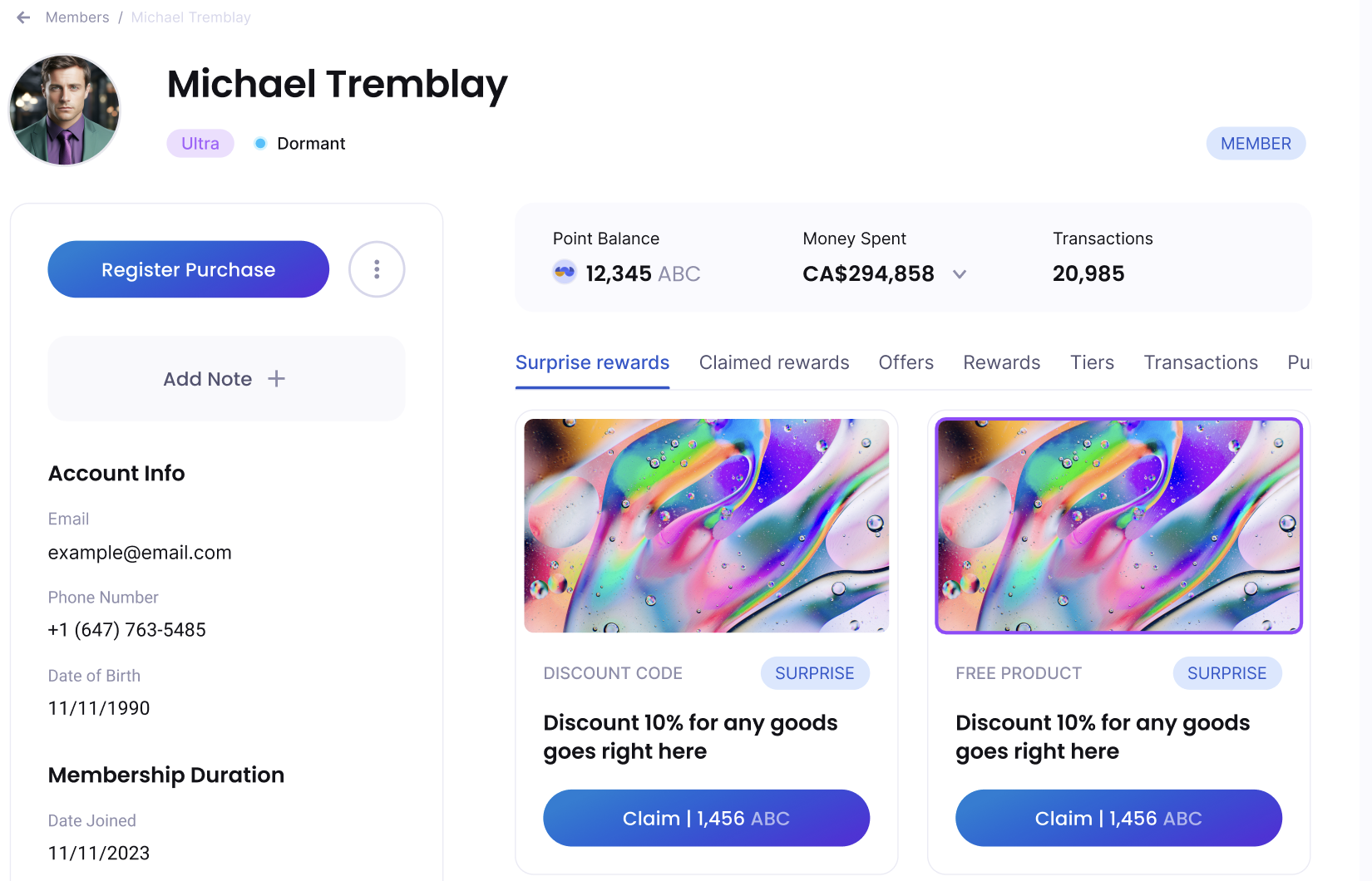
In the member profile, click the Rewards tab (next to Transactions, Offers, etc).
4. Review Available Rewards
You’ll see:
Surprise Rewards (separate tab)
Unlocked Rewards
Point-based Rewards
5. Click "Claim" Next to the Desired Reward
A pop-up will appear to confirm the redemption
Optionally add a note (e.g. claimed at POS, phone claim)
6. Confirm Claim
Once confirmed:
Points will be deducted
Reward will move to the Claimed Rewards tab
Member transactions will reflect the redemption
🧱 Staff Tip
Always check that the member has enough points and meets the eligibility
Use notes to track manual claims for team audits
🚧 Troubleshooting
Reward not clickable?
It may be expired, tier-locked, or already claimed
Claim button missing?
Confirm the member is eligible or has enough points
Use this flow to create seamless in-person and remote reward experiences for your customers.