How to Enable a Welcome Campaign in Ostana (Auto Campaigns)
Last updated: June 18, 2025
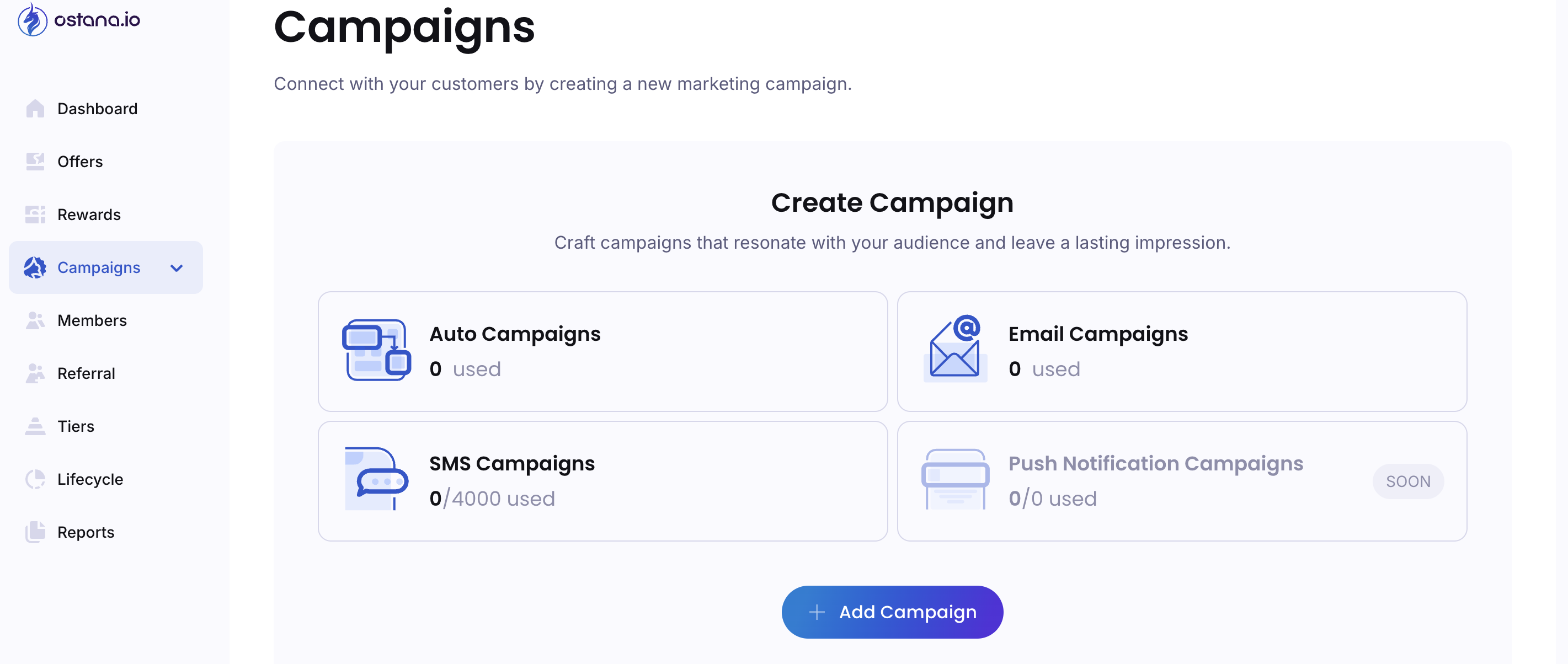
Welcome Campaigns are a great way to greet your new loyalty members with a friendly message, share points they’ve earned, and introduce them to your offers and rewards.
In Ostana, this is fully automated using the Auto Campaigns feature.
This guide walks you through enabling a Welcome Campaign step-by-step.
✅ What is a Welcome Campaign?
A Welcome Campaign is an automated email that is:
Sent as soon as a customer joins your loyalty program.
Personalized with their name, points balance, and your welcome message.
A great opportunity to introduce your brand, benefits, and first reward.
🔧 Step-by-Step: Enable a Welcome Campaign
1. Go to the Auto Campaign Section
Log in to Ostana Portal
Click Campaigns in the left navigation
Under Campaigns, select Auto
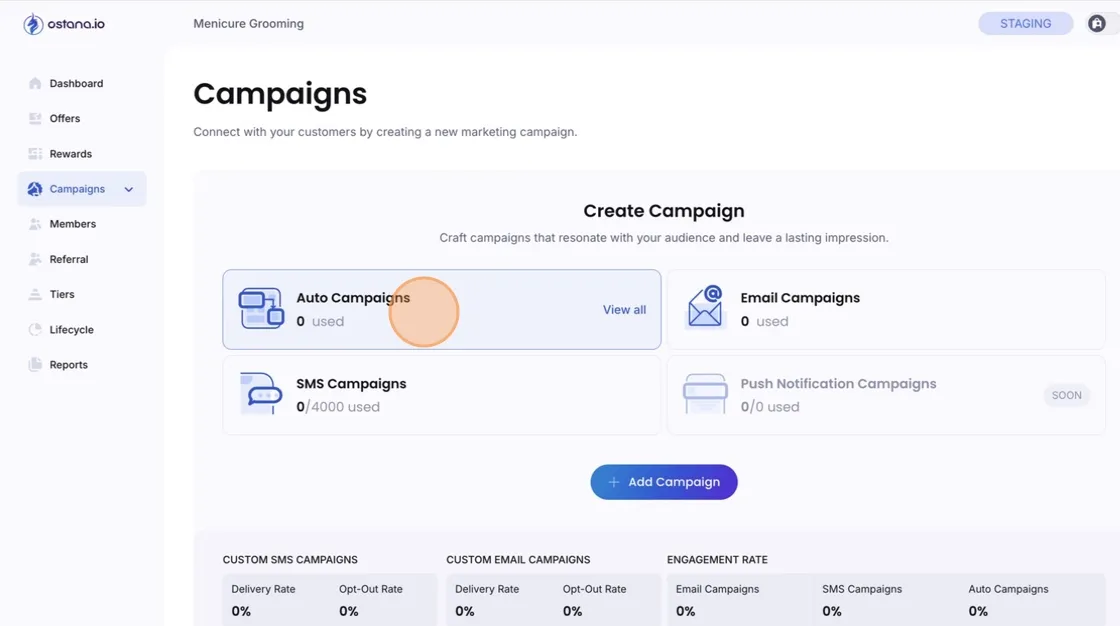
2. Find the "Welcome Email" Card
You’ll see a list of available auto campaigns such as:
Balance Update
Welcome Email
Monthly Digest
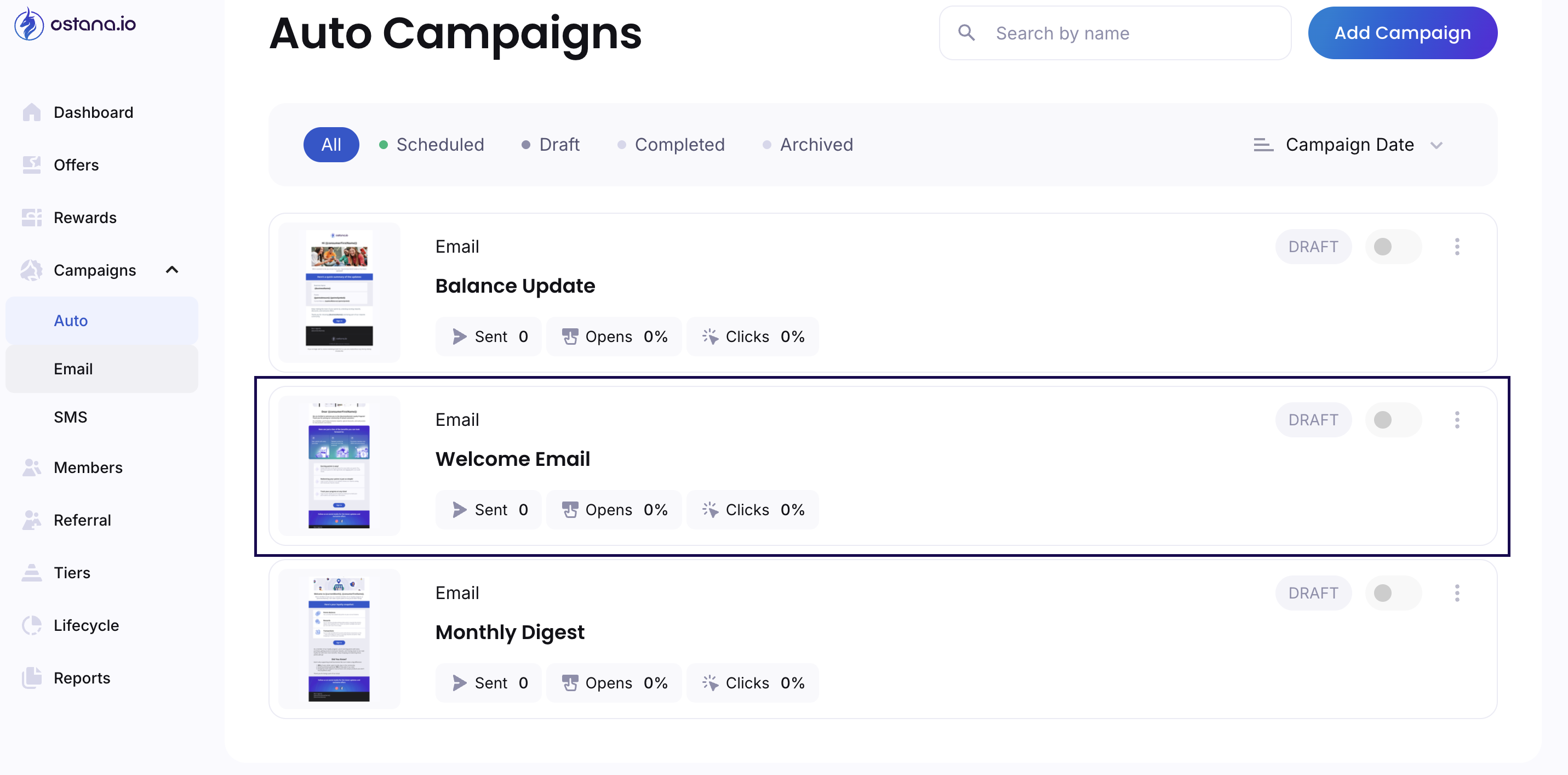
3. Enable the Campaign
Locate the Welcome Email campaign
If the toggle is OFF, switch it to ON
The tag on the right should now say ACTIVE

4. Customize the Campaign (Optional)
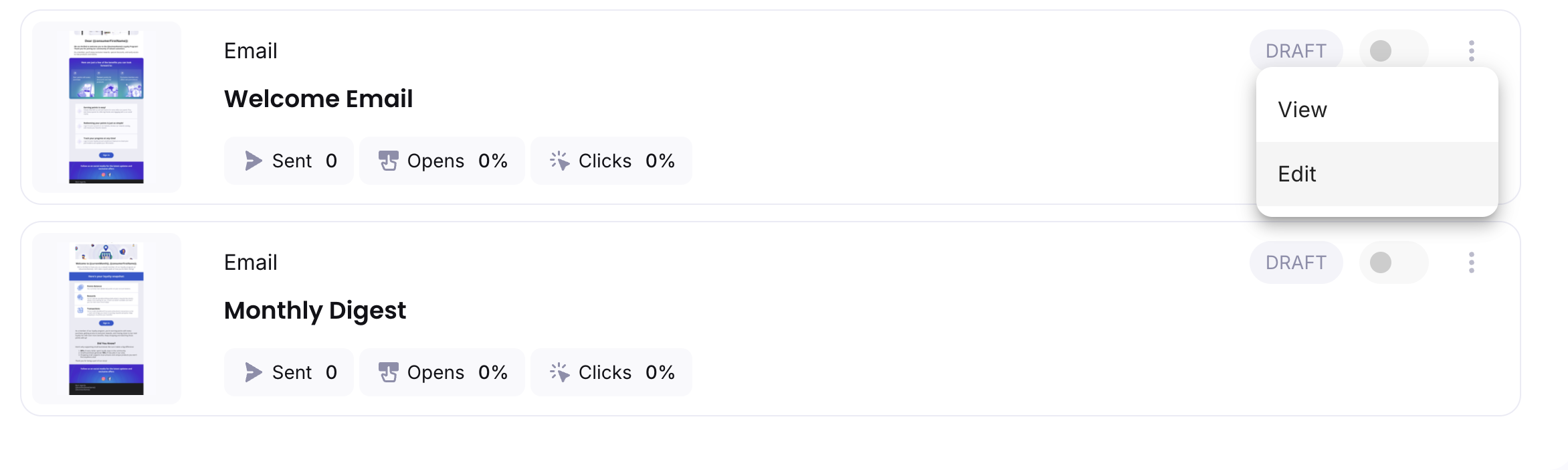
Click the three dots (⋯) on the right of the campaign card
Choose Edit to preview or customize the:
Subject line
Content layout
Logo, greeting, and point visuals
Click Save once your changes are done
🧠 Tips for an Effective Welcome Campaign
💡 Add a new-member bonus: Mention if they’ve earned starter points.
🎉 Celebrate the signup: Make it feel like a warm welcome.
🛍 Promote an offer: Link directly to your best reward or offer.
🔍 FAQs
Q: When does the Welcome Email go out?
Immediately after a member joins your loyalty program.
Q: Can I turn it off later?
Yes, just toggle it OFF from the same Auto Campaigns page.
Q: Does it go to phone or email?
Only email-based invites or members with emails will receive the welcome email.