How to Enable an Auto Campaign in Ostana
Last updated: June 14, 2025
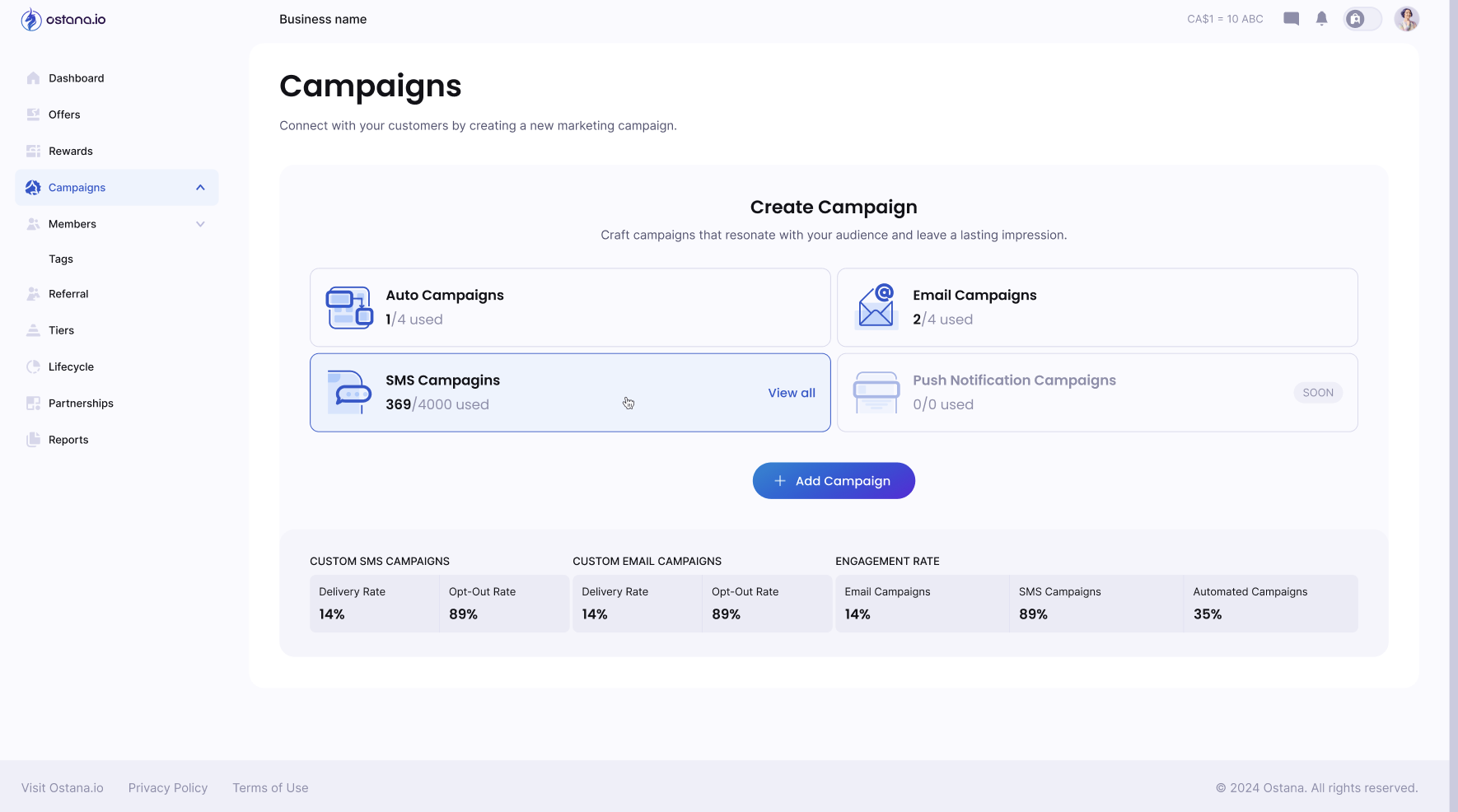
Ostana's Auto Campaigns lets you stay connected with your customers without lifting a finger. These automated emails keep members informed, engaged, and active in your loyalty program.
🚀 What Are Auto Campaigns?
There are three types of Auto Campaigns currently available:
1. 🎉 Welcome Campaign
Sends an email automatically when a new member joins your loyalty program
Great for onboarding and introducing rewards/offers
2. 📅 Monthly Digest
Sends a monthly summary email with:
Member's current point balance
Active offers and available rewards
Helps drive ongoing engagement
3. 📈 Points Update
Sends an update every time a member earns or redeems points
Keeps customers informed and excited about activity
✅ How to Enable an Auto Campaign
Step 1: Go to Auto Campaigns
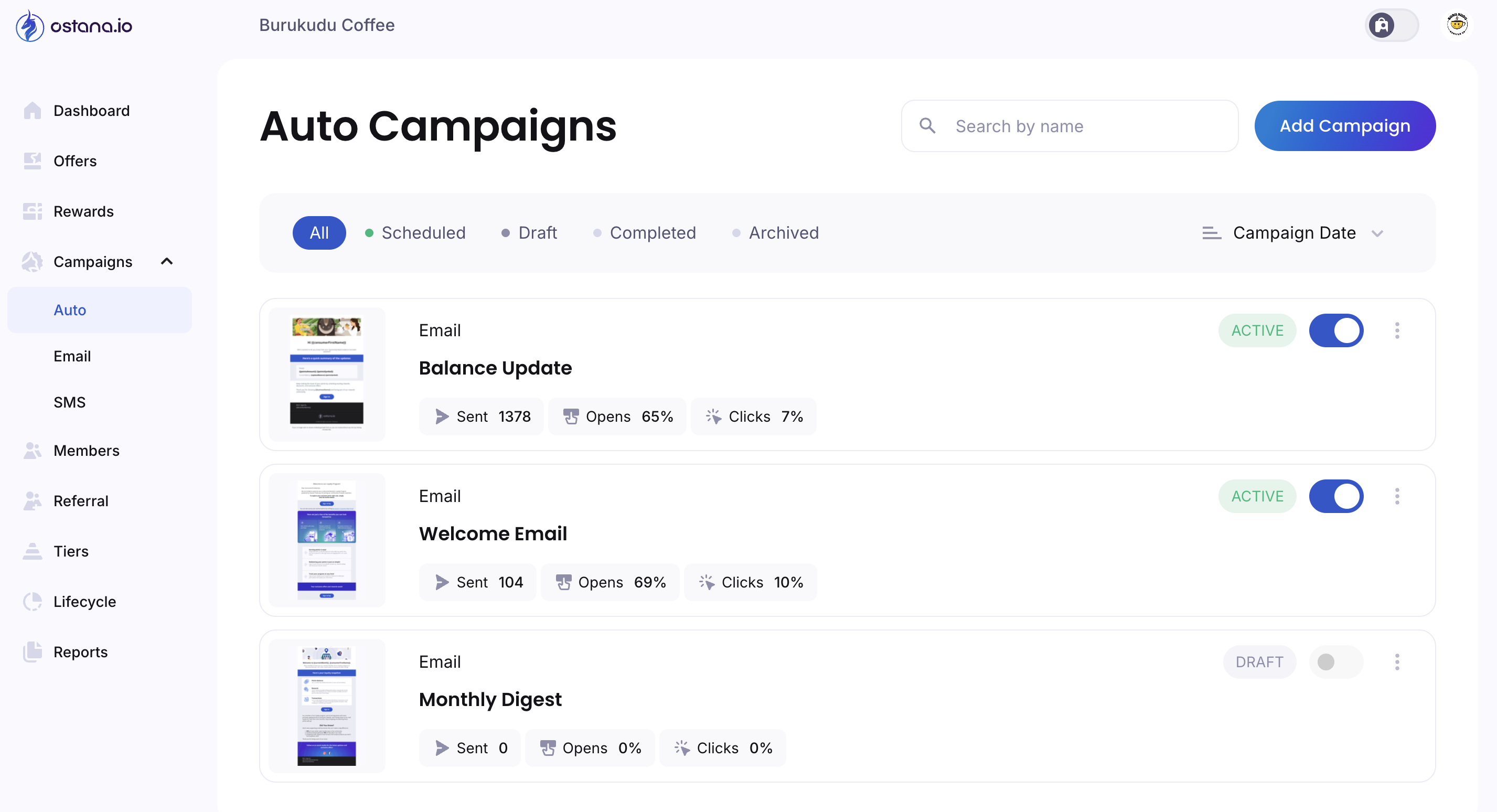
From your left-hand menu, go to Campaigns → Auto
Step 2: View Available Campaigns
You’ll see the list of campaigns:
Balance Update
Welcome Email
Monthly Digest
Each card shows:
Campaign Type (Email)
Send volume and stats (Sent, Opens %, Clicks %)
Status: Active, Draft, or Archived
Step 3: Activate a Campaign
Toggle the switch on the right to turn the campaign ON
Active campaigns will show a green ACTIVE badge
🔊 You can also pause a campaign any time using the same toggle.
📆 Customizing Auto Campaigns
Click the three dots ⋮ next to any campaign to:
Edit content (subject line, body, images)
Preview the email
Duplicate or archive the campaign
📅 Monthly Digest is sent once a month automatically.
🚀 Welcome Campaign is triggered immediately after sign-up.
⚖ Points Update is triggered after every earn or redeem event.
🚡 Best Practices
Make your Welcome Email feel personal and offer a reward
Use the Monthly Digest to spotlight new offers and limited-time rewards
Keep Points Update messages short, focused, and celebratory
🚧 Troubleshooting
Not seeing any campaigns?
Make sure you’re in the Auto tab under Campaigns
Emails not sending?
Check that the campaign is set to Active and that members have valid email addresses.
Want to test?
Click on the send test email button on the email builder to preview how each campaign behaves