How to Downgrade Your Subscription Plan in Ostana
Last updated: June 14, 2025
If you need to move from a higher-tier plan (e.g. Elite) to a lower-tier one (e.g. Pro or Starter), you can start the process easily within your Billing Details. The Ostana Success Team will help finalize your downgrade.
✅ Step-by-Step: Request a Plan Downgrade
1. Open Your Profile
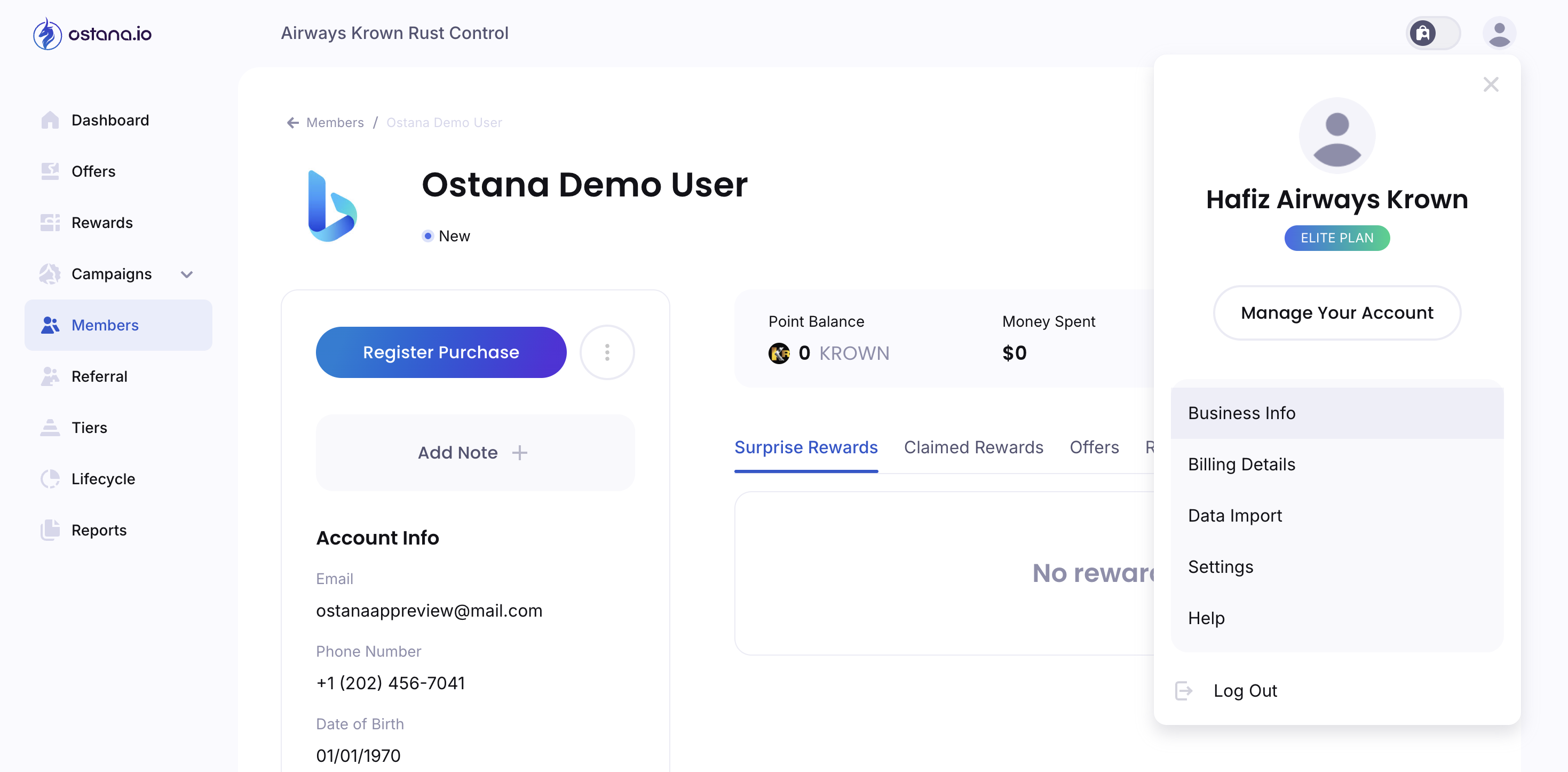
Click your profile icon in the top-right corner and select Billing Details from the dropdown menu.
2. Navigate to the Billing Details Page
You’ll see your current plan (e.g. Elite Plan) and pricing displayed.
3. Click the Downgrade Plan Link
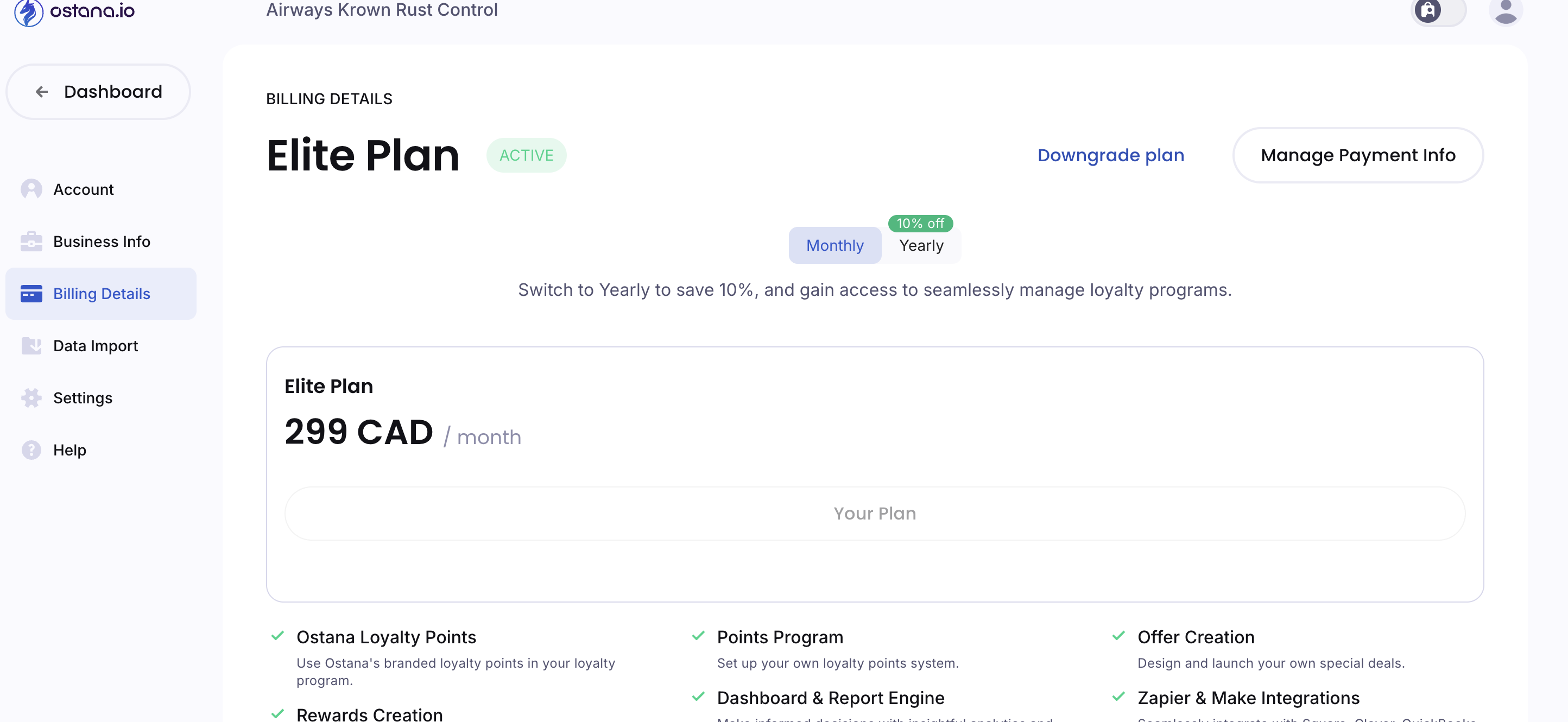
Located in blue text near the top of the screen next to your plan and payment options.
4. Submit Your Request
Clicking Downgrade Plan submits a request to the Ostana team.
5. Ostana Success Team Will Contact You
A team member will reach out shortly to:
Confirm the reason for downgrade
Assist with switching your plan
Clarify what features will be affected
🔔 Your current plan remains active until the change is finalized.
🚧 Important Notes
Plan downgrades affect access to premium features like custom points, integrations, and tier automation
All billing adjustments will be discussed with the Success Team before processing
If you have questions or need to accelerate the process, email us directly at support@ostana.io.