How to Create a Referral Program in Ostana
Last updated: June 12, 2025
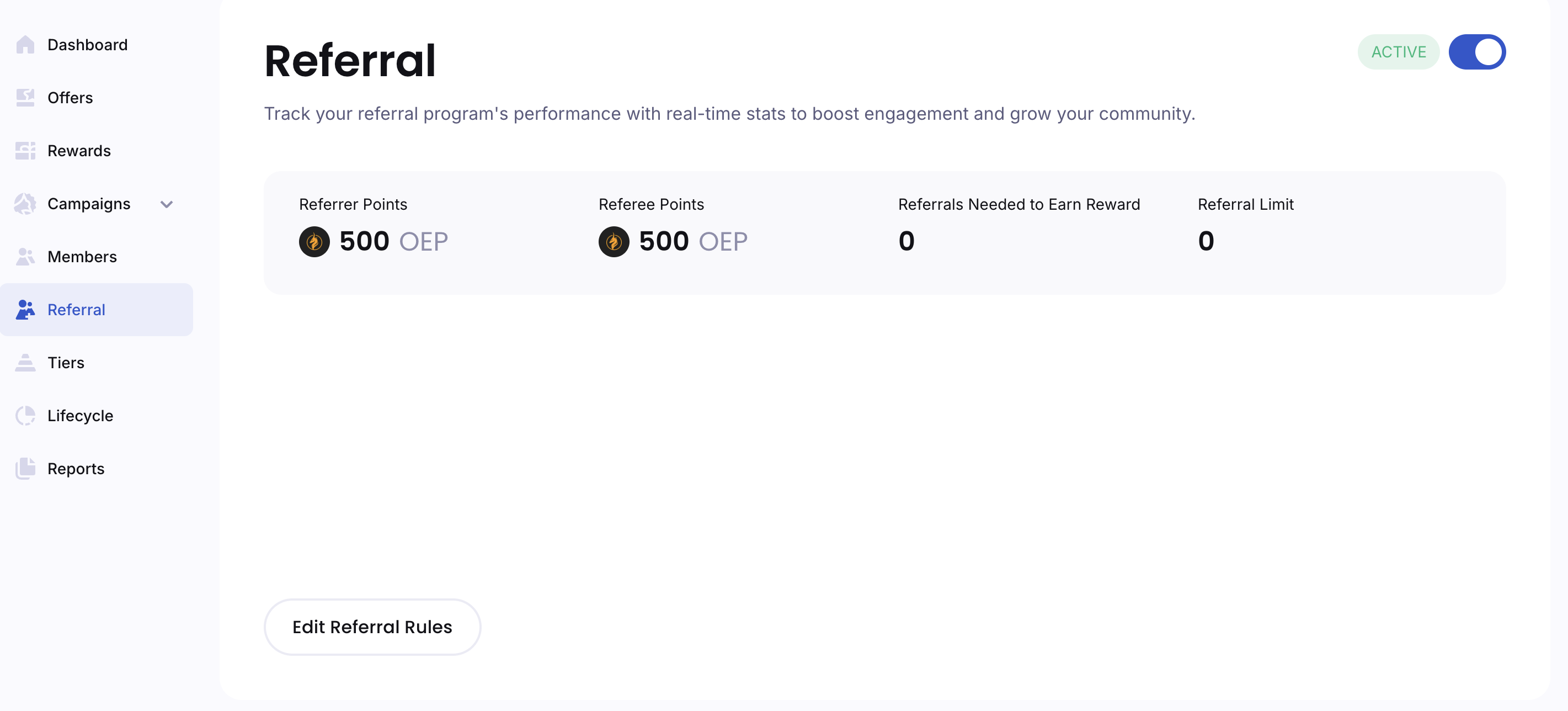
Referral programs are one of the fastest ways to grow your community organically. With Ostana, you can reward both new customers and the members who referred them—automatically.
This guide will walk you through the steps of creating a referral program using the Referral screen in your dashboard.
✅ Step-by-Step: Creating a Referral Program
🔹 Step 1: Access the Referral Tool
Go to your Ostana Dashboard at https://portal.ostana.io.
Navigate to the Referrals section from the sidebar.Click “Referral”
This opens the referral program builder, where you can define rules and rewards.
🔹 Step 2: Configure Points Rewarded
Apply To
Choose who receives the reward:Referrer: the person who sends the invite
Referred: the person who signs up
Both: reward both sides of the referral
Referred Points
Enter the number of points to be rewarded.
🔹 Step 3: Set Referral Requirements (Optional)
Require Multiple Referrals to Earn Reward
Toggle ON if you want the member to hit a referral goal before earning rewards.Enter the Referral Goal to Achieve Reward (e.g., 3 signups)
Limit Total Amount of Possible Referrals
Toggle ON to cap how many referrals a member can earn from.Enter the Referral Limit (e.g., 10 signups)
Choose Time Period
All Time: Rewards are tracked across the member’s full account history
Yearly: Resets each year
Monthly: Resets every month
🔹 Step 4: Add a Cover Image
Upload a Visual
You can either:Drag & Drop a JPEG/PNG image (minimum 1280x960 px, max 30MB)
Click Explore Images Online or Upload From Computer
A strong image improves engagement when referrals are shared via email or wallet.
🔹 Step 5: Save & Activate
Click “Save” to finalize your referral program.
🎉 Your program is now live and shareable by members!
💡 Pro Tips
📣 Promote Your Program: Add it to your emails, POS displays, and thank-you pages.
🎁 Reward Both Sides: Programs that reward both referrer and friend tend to perform better.
📊 Track Results: Use your Referral Analytics dashboard to see top referrers and conversion rates.
🔍 FAQs
Q: Can I change referral rules after launching?
Yes, simply click on the referral program and choose “Edit.”
Q: What happens if someone exceeds the referral limit?
They won’t receive additional rewards beyond the set cap.
Q: Can I run multiple referral campaigns at once?
Not at this time—Ostana supports one active referral program per business.