How to Set Up an SMS Campaign in Ostana
Last updated: June 12, 2025
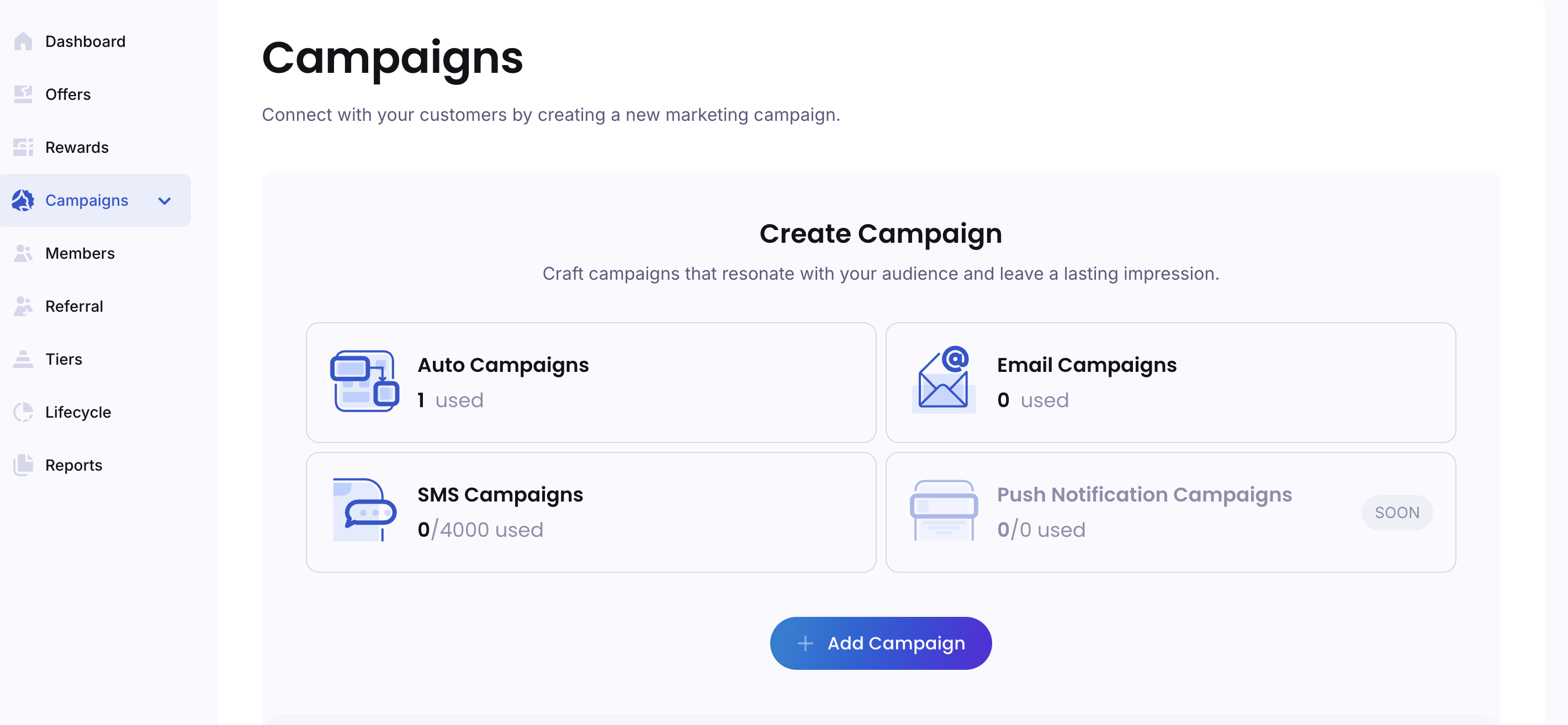
SMS campaigns are a powerful way to directly reach your customers with time-sensitive offers, announcements, or personalized rewards. With Ostana, you can create and launch SMS campaigns quickly using built-in templates or your own custom messages.
✅ Step-by-Step: Creating an SMS Campaign
🔹 Step 1: Access the Campaign Builder
Log into the Ostana Dashboard
Navigate to your business dashboard at https://portal.ostana.io.Click “Campaigns”
From the left-hand menu, select “Campaigns”.Click “Create Campaign”
Choose the SMS option when prompted to select your campaign type.
🔹 Step 2: Set Campaign Basics
Enter Campaign Name
Choose a name for internal tracking (e.g., “Weekend Flash Deal” or “Birthday Bonus SMS”).Write Your Message
Keep it short, clear, and action-driven.
You can include dynamic fields like:{{first_name}}{{points_balance}}{{business_name}}
✍ Example:
Hey {{first_name}}, you've got 500 points waiting! Redeem now at {{business_name}}. Link: [your link]
Add Call-to-Action (Optional)
Include a link, discount code, or special text for redemptions.
🔹 Step 3: Choose Your Audience
Select Target Audience
Filter by:All customers
Specific tiers (e.g., Gold, VIP)
Set Send Time
Immediate: Send right away
Schedule: Choose a specific date and time
🔹 Step 4: Review & Send
Preview the Message
Confirm how it will look using sample data from your member list.Confirm SMS Compliance Settings
Ensure you have customer consent to send SMS.
Include opt-out language if required by law (e.g., "Reply STOP to unsubscribe").
Click “Send Campaign”
Or click “Schedule Campaign” if set for a future time.
🎉 Your campaign will now be sent to all eligible recipients!
🧠 SMS Campaign Best Practices
✂ Keep messages under 160 characters to avoid splitting.
🕓 Send at optimal times — midday and late afternoon work well.
📊 Track performance: Monitor open rates, click-throughs, and redemptions post-send.
🔍 FAQs
Q: Can I send SMS to international numbers?
Yes, as long as the country is supported by Ostana and the recipient has opted in. Fees may vary.
Q: Can I include links in my SMS?
Absolutely! Use a shortened or branded link for better engagement.
Q: How often should I send SMS?
Start with 1–2 campaigns per month and increase based on engagement. Avoid spamming your list.
🛠 Troubleshooting
Message didn’t send?
Check if phone numbers were formatted correctly
Confirm customer has opted in to receive SMS
Review your plan’s SMS quota (if applicable)
Campaign shows low delivery?
Check for outdated or incorrect contact numbers
Use segmentation to target only active customers