How to Use Lifecycle Management in Ostana
Last updated: June 12, 2025
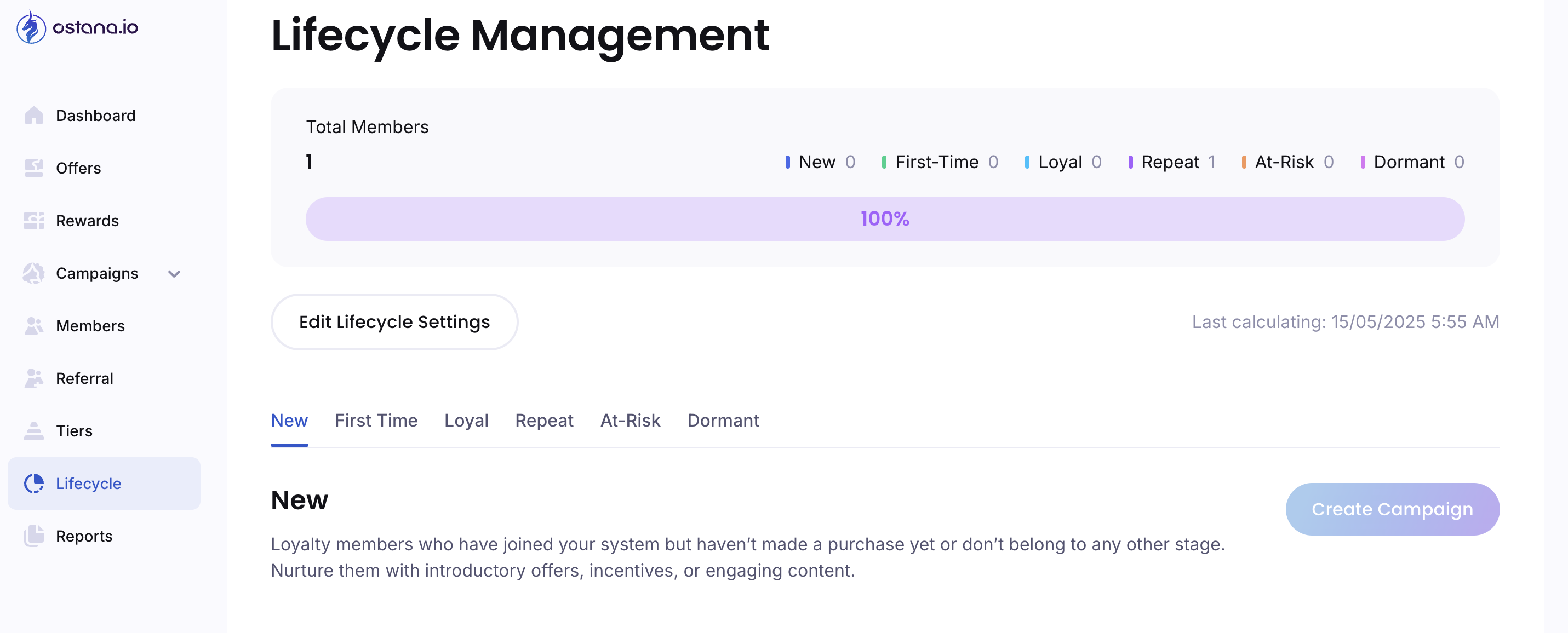
Lifecycle Management in Ostana helps you segment loyalty members based on their engagement stage—so you can run targeted campaigns that meet customers where they are in their journey.
With this feature, you can automatically classify customers into six lifecycle stages and edit the rules based on your business’s average purchase cycle.
🎯 Why Use Lifecycle Management?
Automatically segment your members (no manual tagging needed)
Run personalized campaigns (e.g., win-back for dormant, bonuses for loyal)
Track loyalty health over time using lifecycle trends
🧭 The Six Lifecycle Stages
Here’s a breakdown of the six built-in lifecycle categories:
Stage | Description |
New | Customers who just joined but haven't made a purchase yet |
First-Time | Customers who made their very first purchase recently |
Loyal | Frequent, highly engaged customers who buy often |
Repeat | Regular customers, but not as frequent as loyal members |
At-Risk | Customers who haven’t purchased or engaged in a while |
Dormant | Long-lost customers with no recent activity for an extended period |
🛠 How to Edit Lifecycle Settings
To customize how customers flow between stages:
Navigate to Lifecycle Settings
Go toLifecyclein your Ostana dashboard sidebar at https://portal.ostana.io.Click “Edit Lifecycle Settings”
Adjust Purchase Frequency Windows
For each lifecycle stage, you can define the window of activity (based on days) to fit your business model.Stage
Default Rule (Adjustable)
Loyal
1 purchase every 7 days
Repeat
1 purchase every 15 days
At-Risk
No purchase for 30+ days
Dormant
Beyond the “At-Risk” threshold (non-editable)
Apply Changes
Click the Apply Changes button at the bottom to save.
📊 Strategy Tips by Business Type
You can adapt lifecycle thresholds depending on how frequently your customers shop:
Business / Type | Loyal Threshold | At-Risk Threshold |
Coffee Shop / QSR | 7 days | 14–21 days |
Spa / Wellness | 15–30 days | 45–60 days |
E-commerce / Apparel | 30–45 days | 60–90 days |
Cannabis / Dispensaries | 10–15 days | 30–45 days |
💡 Tip: Use your BAPC (Business Average Purchase Cycle) to inform these rules. The system shows this hint on the right side of the settings panel to help you align with real-world behavior.
🎯 Use Case Examples
New → First-Time: Trigger a "Thanks for your first purchase!" campaign
Repeat → Loyal: Auto-upgrade customers into a VIP Tier
At-Risk → Dormant: Send a win-back reward ("We miss you! Here's 500 points.")
🔍 FAQs
Q: Can I override a customer’s lifecycle stage manually?
Not directly—stages are auto-assigned based on activity. But you can trigger personalized campaigns based on the current stage.
Q: How often are lifecycle stages updated?
Ostana recalculates lifecycle segments regularly (see timestamp at top of module).
Q: Can I run a campaign by stage?
Yes! Just click the “Create Campaign” button next to any lifecycle stage tab.