How to Create Tiers in Ostana
Last updated: June 14, 2025
Tiered loyalty programs allow you to reward your most engaged customers with exclusive perks, bonus points, and status-based incentives. With Ostana, you can create customized tiers to motivate repeat visits and higher spending.
Follow the guide below to set up your tier structure from start to finish.
✅ Step-by-Step: Creating Tiers
🔐 Step 1: Log in to Your Ostana Dashboard
Head to https://portal.ostana.io
Log in using your business admin credentials.
🎯 Step 2: Go to the Tiers Section
From the left-hand navigation menu, click “Tiers”.
This will open the tier management screen.
➕ Step 3: Click “Create Tier”
Click the Create Tier button on the top-right of the screen.
🧱 Step 4: Define Your Tier
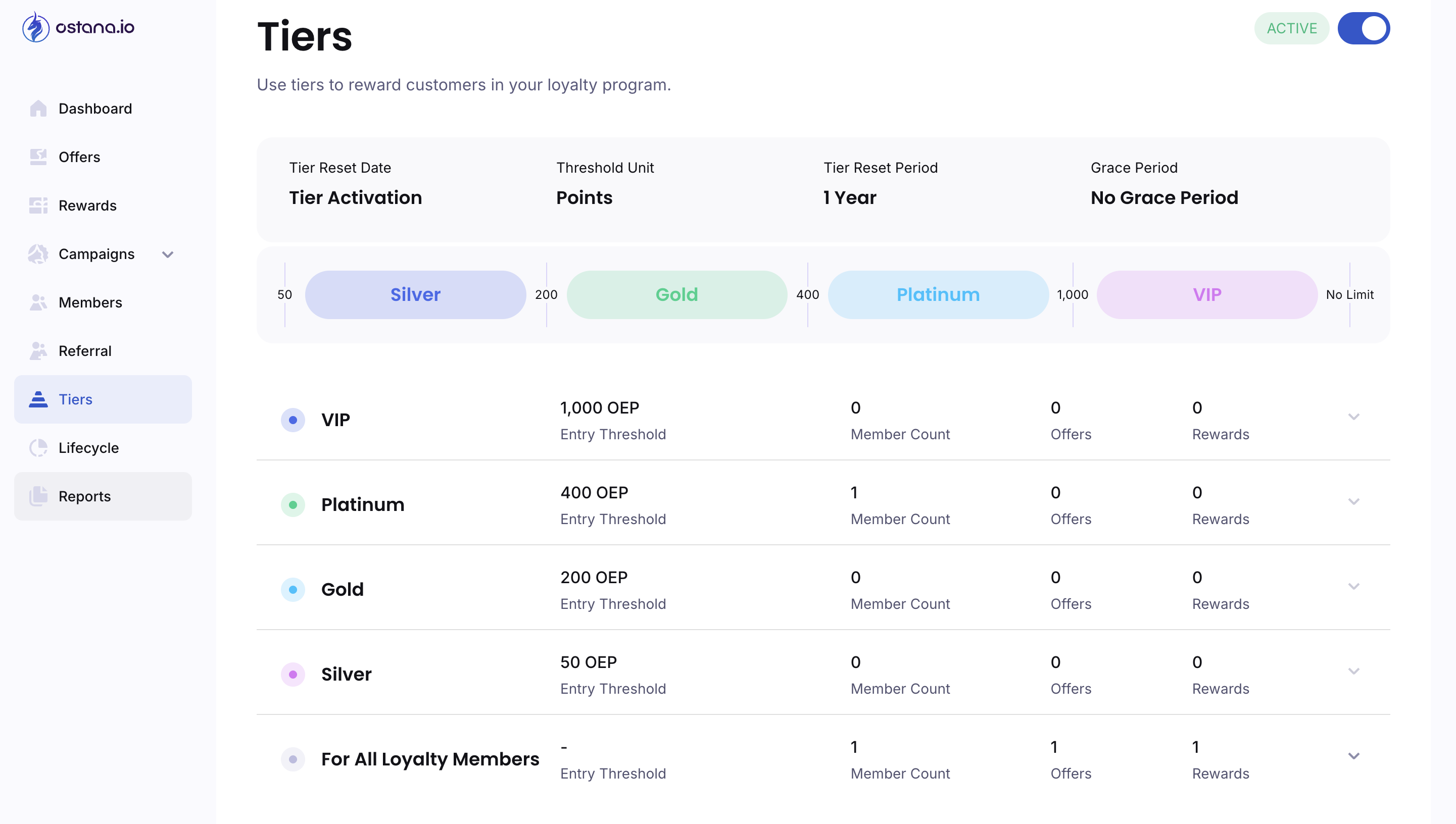
Name Your Tier
Examples:Bronze,Silver,Gold,VIP, or unique names likeInsider,Legends.Enter a Description
Short explanation about what this tier includes and how to qualify.
🎯 Step 5: Set Qualification Rules
Choose Entry Criteria
✅ Points Earned: Set a required point threshold.
💸 Spend Amount: Set a dollar-based target (e.g., $500 spent).
🔁 Visit Frequency: Define a minimum number of visits within a time period.
🔄 Step 6: Define Tier Rules (Reset Logic)
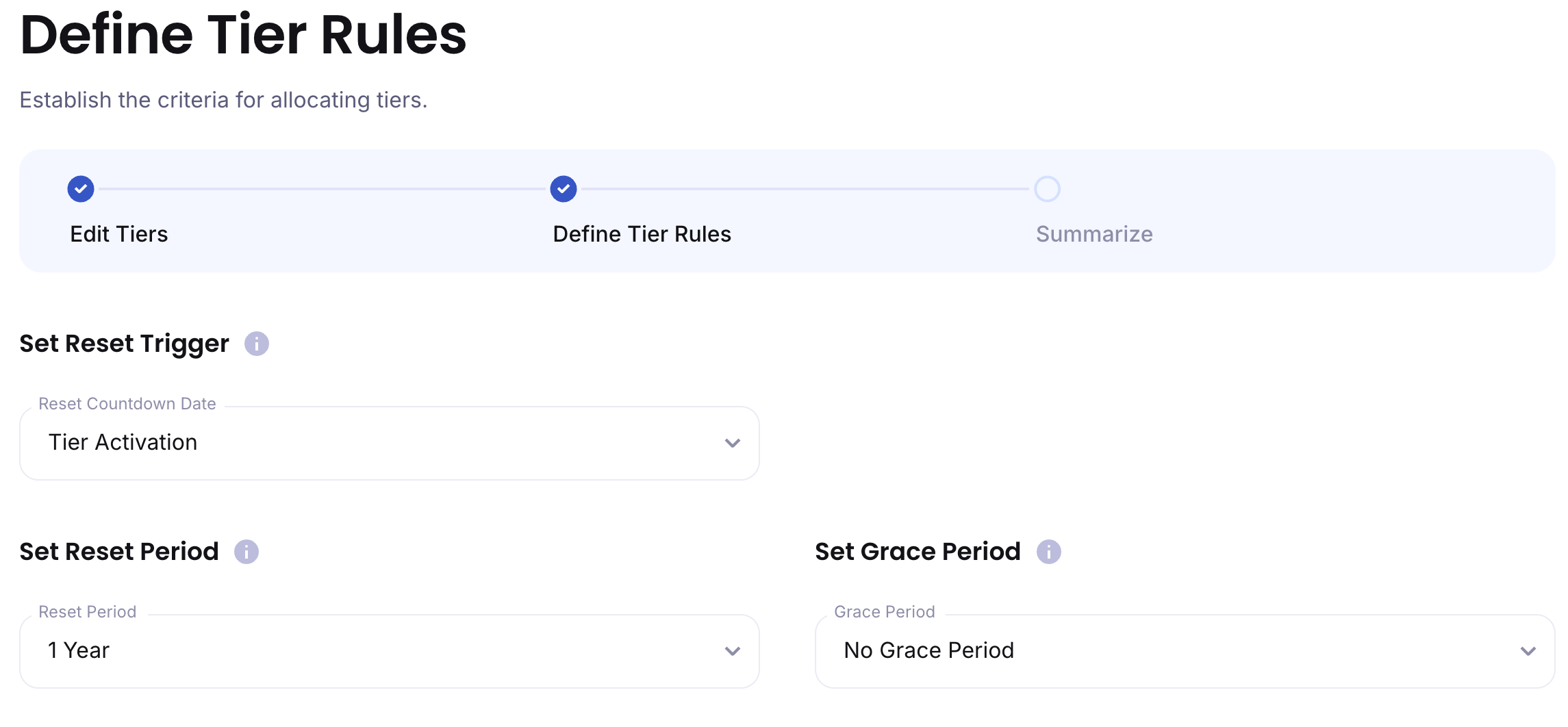
After creating your tier levels, Ostana will prompt you to set the Reset Behavior and Grace Period.
🔁 Reset Trigger Options
This defines when the countdown to a reset starts:
Tier Activation (default): Countdown begins when the customer enters the tier.
Tier Upgrade: Resets when a customer gets upgraded.
Specific Month: Choose a calendar month (e.g., January 1st each year).
🕒 Reset Period
Choose how long the customer has to keep their tier before being re-evaluated:
1 year
1.5 years
2 years
2.5 years
3 years
⏳ Grace Period (Optional)
Allows members additional time after their reset date to still meet tier requirements.
Examples:
No Grace Period (default)
6 Months
1 Year
2 Years
💡 This is great for customers who may have dropped off temporarily but are likely to return.
📤 Step 8: Save & Activate
Click Create & Publish
Your tiers will be active and customers will be automatically sorted based on the rules you've defined.
🎉 Tier Created!
You can now:
Monitor tier performance
Adjust rules or perks as your loyalty program grows
🧠 Example Tier Structure
Tier | Criteria | Perks |
Bronze | Join automatically | 100 points birthday bonus |
Silver | 500 points or 5 visits | Early access to offers |
Gold | 1000 points or $500 | +2X points, free gift |
VIP | Invite-only | Surprise rewards, concierge access |
🛠 Tips for Success
🎯 Keep it simple – Start with 2 to 4 tiers max.
📈 Make tiers aspirational – Offer desirable perks that motivate upgrades.
🔁 Review monthly – Adjust criteria or perks as needed.
🔍 Frequently Asked Questions (FAQ)
Q: Can I manually move a customer to a tier?
Yes! Go to their Member Profile, click the three-dot menu, and select Update Tier Level.
Q: Can tiers expire or reset?
Yes — via the reset period and grace period options you just set.
Q: Can I notify customers when they’re promoted?
Absolutely — use Tier Promotion Campaigns in the Campaigns tab to auto-message users when they level up.